

Picture this. It’s Monday morning, and your inbox is full of panic. A server went down over the weekend. Customer data may have leaked. Nobody saw it coming.
Now picture the same Monday with a prevention cloud setup. The risky setting got flagged on Friday. The odd login attempt was blocked on Saturday. Your team found out about both over coffee, and nothing broke.
That’s the whole idea behind a prevention cloud. Let’s walk through what it is, how it works, and how you can use the approach, whether you run a small business or a big team.
(A quick note: “prevention cloud” gets used in a few different ways. I’ve written this around the most common meaning, which is cloud-based tools and habits that stop security, reliability, and compliance problems before they cause damage.)
What Is a Prevention Cloud, Really?
Think of a smoke detector versus a fire department. The fire department is great, but it shows up after the flames start. The smoke detector speaks up early, when the problem is still tiny.
A prevention cloud works like that smoke detector. It’s a cloud-based setup that watches your systems, spots risks early, and blocks or fixes them automatically.
Most traditional setups work the other way around. Something breaks, an alert goes off, and people scramble. That’s called reactive. A prevention cloud is proactive.
The Simple Version
Here’s how I’d explain it to a friend:
- Your data and apps live in the cloud.
- Smart tools keep checking them all day, every day.
- When something looks risky, the system acts before it turns into a real problem.
That’s it. No magic. Just better timing.
Why a Prevention Cloud Matters More Than Ever
Here’s the uncomfortable truth. Most cloud incidents don’t come from genius hackers. They come from boring mistakes.
A storage bucket left open to the public. A password that never got changed. A software update somebody kept postponing. These small slips cause big headaches.
Fixing a breach is expensive. You lose money, time, and customer trust, and that last one is hard to win back. Preventing the breach costs far less.
The Real Cost of “We’ll Deal With It Later”
Let’s say a small online shop gets hit by a data leak. They have to notify customers, hire experts, and maybe pay fines. Sales drop for months.
Now say the same shop spent a fraction of that on preventive tools. The leak never happens. Nobody writes angry reviews. That’s the quiet win of prevention: you never see the disaster that didn’t happen.
The Core Parts of a Prevention Cloud
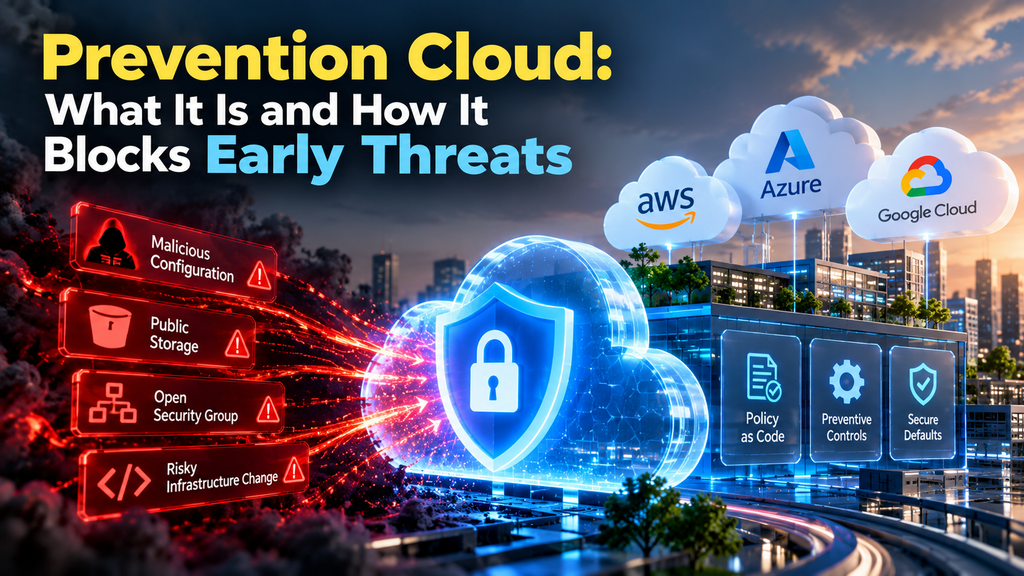
A solid prevention cloud isn’t one single product. It’s a mix of pieces working together. Here are the main ones.
1. Continuous Monitoring
Your systems get checked around the clock. Think of it like a security guard who never takes a lunch break. Unusual traffic, strange logins, and sudden changes all get noticed.
2. Automated Threat Blocking
Spotting a problem is half the job. The other half is stopping it. Good prevention tools can block a suspicious connection or lock an account in seconds, faster than any person could.
3. Configuration Checks
This one’s a sleeper hit. A huge share of cloud problems start with a bad setting. Configuration checks scan your setup and warn you when something is open that shouldn’t be.
4. Access Control
Not everybody needs the keys to everything. A prevention cloud follows a simple rule: give people only the access they need to do their job. If an account gets hacked, the damage stays small.
5. Backups and Recovery Plans
Prevention isn’t just about blocking attacks. It’s also about being ready. Regular backups mean that even if something goes wrong, you can bounce back fast.
Prevention Cloud vs. Traditional Security: What’s the Difference?
Let’s make this easy to compare.
| Traditional approach | Prevention cloud approach | |
|---|---|---|
| Timing | Reacts after the problem | Acts before the problem |
| Speed | Hours or days to respond | Seconds to respond |
| Effort | Lots of manual work | Mostly automated |
| Cost over time | Spikes after incidents | Steady and predictable |
You don’t have to throw out your old tools. Most teams add a prevention layer on top of what they already have.
How to Build Your Own Prevention Cloud Strategy
You don’t need a giant budget to start. You need a plan and a little consistency. Here’s a simple path.
- Know what you have. List your apps, servers, databases, and who can reach them. You can’t protect what you’ve forgotten about.
- Find your weak spots. Run a basic scan. Look for open settings, old accounts, and outdated software.
- Fix the easy stuff first. Turn on two-step login. Remove accounts that nobody uses. Update what’s out of date.
- Add automation. Pick tools that watch and respond for you, so you’re not relying on someone checking dashboards at midnight.
- Test your backups. A backup you’ve never tested is just a hopeful guess. Try restoring one.
- Review regularly. Set a monthly reminder. Cloud setups change fast, and your checks need to keep up.
Real-World Examples of a Prevention Cloud in Action
Theory is nice, but let’s make it real.
Example 1: The Open Storage Bucket
A marketing team uploads customer files to cloud storage. Someone accidentally sets it to public. A prevention tool spots the change within minutes, sends an alert, and can even lock it back down automatically. No leak, no drama.
Example 2: The Strange Login
An employee in Karachi normally logs in during office hours. Suddenly their account is used from another continent at 3 a.m. The system flags it as odd and asks for extra verification. The attacker gets stuck at the door.
Example 3: The Forgotten Update
A server runs old software with a known flaw. Instead of waiting for someone to remember, the prevention setup flags it and schedules the patch. Boring? Yes. Effective? Absolutely.
Common Mistakes People Make
Even good teams slip up. Watch out for these.
- Buying tools but never setting them up. A fancy dashboard that nobody checks protects nothing.
- Ignoring small alerts. Many big problems start as little warnings. Don’t tune them all out.
- Giving everyone full access. It feels easier, but it’s risky.
- Treating it as a one-time project. Prevention is a habit, not a checkbox.
- Skipping team training. People are often the weakest link. A short training session goes a long way.
Who Should Care About a Prevention Cloud?
Short answer: pretty much anyone with data online.
Small businesses often think they’re too small to be a target. Attackers love that thinking, because small companies usually have weaker defenses.
Growing startups move fast and change things constantly. That speed creates gaps, and prevention helps close them.
Larger companies have so many systems that humans can’t watch everything. Automation does the heavy lifting.
Freelancers and solo creators store client files and passwords in the cloud too. A few simple prevention habits protect your income and your reputation.
A Few Quick Tips You Can Use Today
You don’t have to wait for a big project. Try these this week:
- Turn on two-step verification for your main accounts.
- Use a password manager instead of reusing passwords.
- Check who has access to your shared folders and remove old users.
- Turn on automatic updates wherever you can.
- Back up your most important files, then test the restore.
Each one takes minutes. Together, they make a real difference.
The Future of Prevention Cloud Technology
Things are moving fast. Tools are getting smarter at spotting patterns that humans miss. Many can now predict which settings or accounts are most likely to cause trouble and flag them early.
Expect more automation, simpler dashboards, and tighter links between security, performance, and compliance. The goal is the same as always: fewer surprises.
Final Thoughts
Here’s something worth sitting with. Most of us only think about protection after something goes wrong. We buy the lock after the break-in.
A prevention cloud flips that habit. It asks a better question: what’s the quietest, cheapest way to make sure this never happens?
You don’t need to overhaul everything tomorrow. Pick one risk, fix it, and build from there. Your future self, enjoying a calm Monday morning, will thank you.
FAQs
What does a prevention cloud do?
A prevention cloud watches your cloud systems all day and spots risks early. It blocks or fixes many of them automatically, so small issues don’t turn into outages or data leaks.
Is a prevention cloud the same as cloud security?
Not quite. Cloud security is the bigger umbrella. A prevention cloud focuses on the “stop it early” part: monitoring, automatic blocking, and fixing weak settings before anyone can exploit them.
Do small businesses need a prevention cloud?
Yes. Small teams are often easier targets because their defenses are thinner. The good news is that you can start small with two-step login, regular updates, tight access rules, and tested backups.
How much does a prevention cloud setup cost?
It depends on your size and the tools you pick. Some basics, like two-step verification and automatic updates, cost nothing. Paid tools usually cost far less than cleaning up after a breach.
How do I get started with a prevention cloud?
List what you have, scan for weak spots, and fix the easy ones first. Then add automation and review everything once a month.